The Central Hub
for your Church Production Team
The only platform built to streamline team management, campus analytics, and A/V/L control from a single production hub.
Standard procedure for FOH & Broadcast.
Standard configuration for Midas M32 / Behringer X32 consoles.
1. Initial Routing
- Check phantom power (+48V) on vocal channels 1-4.
- Route DCA groups: 1 (Band), 2 (Vocals), 3 (Effects).
- Verify USB card input is set to 32in/32out.
2. Output Patching
- Matrix 1/2 → Livestream L/R (Post-Fader)
- Matrix 3/4 → Foyer Delays (Pre-Fader)
- Bus 1-6 → IEM Mixes (Pre-Fader)
Note: Remember to save the scene to the USB drive as backup before shutdown.
*Visual representation only
Team Collaboration
Keep your entire production team in sync with real-time communication and task management. From pre-service prep to post-service follow-ups, everyone knows what needs to happen and when.
- Role-based checklists with completion tracking and accountability
- Real-time team chat for instant coordination during services
- Shared notes and SOPs accessible to the whole team
- Email notifications for task assignments and updates
Producer View
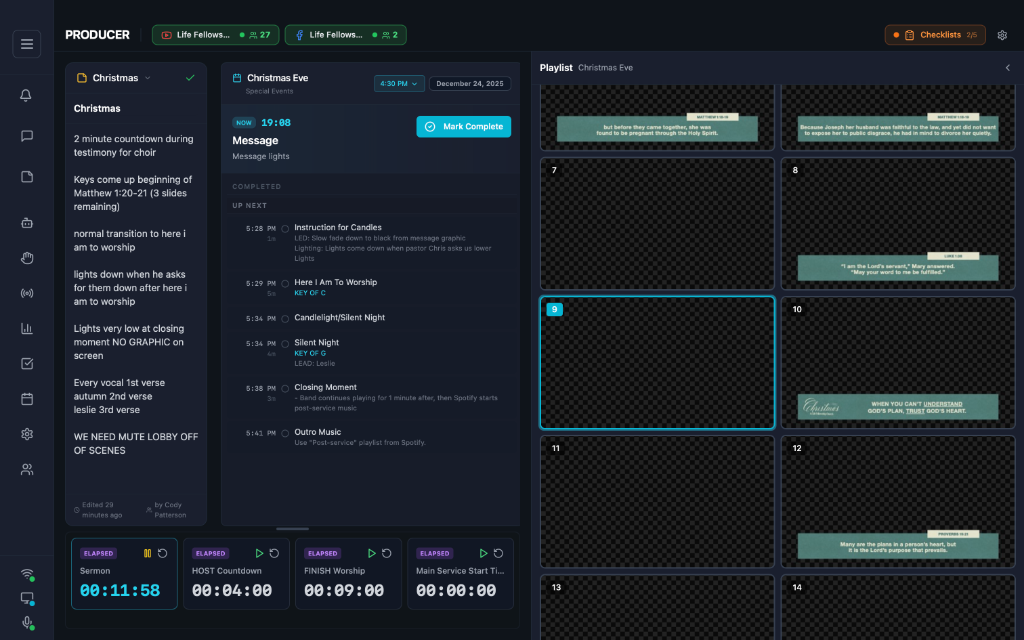
Complete oversight of your entire production from a single screen. Monitor multiple campuses, track live streams, and coordinate your team in real-time.
- Track Multi-Campus PCO Timelines
- Real-time live stream viewership from Facebook & YouTube
- PCO Service flow control + monitoring
- View ProPresenter slides + timers and jump in to take control as needed
- Create and edit notes for additional confidence over service flow
- Monitor and follow-up with volunteers based on Checklist completion status
*Visual representation only
*Visual representation only
Operator View
Full manual control when you need it. Trigger slides, update timers, and access show controls. Perfect for a simpler ProPresenter control experience for volunteers.
- Real-time sync with ProPresenter
- Visualize and trigger slides
- Jump between song sections with arrangement badges
- Enable or disable UI elements for simplified views
- Remotely monitor and control ProPresenter from another campus or at home
- Full control over ProPresenter Show Controls (Macros, Stage, Messages, Props, Timers)
Stream Analytics
Monitor your live streams in real-time and track historical performance. ProdLink automatically captures viewer data throughout your services so leadership can make informed decisions.
- Live stream monitoring for YouTube and Facebook with real-time viewer counts
- Automatic session tracking with peak viewers, duration, and trimmed averages
- Historical data with viewer graphs and per-session breakdowns

Sunday Morning Service
10:00 AM • Sunday, December 29, 2025
187
156
Concurrent viewers
While live
156
Top 5% & bottom 25% trimmed
Calculated by ProdLink
84 data points collected
*Visual representation only
Centralize Your Workflow
Unify your apps, hardware, and streams into a single control hub to eliminate the chaos of multiple screens.
- Syncs Planning Center Services plans and add custom production-specific notes or plan items. Bulk import team members directly from PCO.
- Control and monitor ProPresenter directly across ProdLink functions like Operator View and Producer View.
- Monitor YouTube and Facebook social stream status and track historical viewership data over time.
One Unified Ecosystem
ProdLink apps are a suite of specialized tools designed specifically for enabling production teams and church services to run smoothly. All included in the ProdLink subscription.
ProdLink™
The central command center
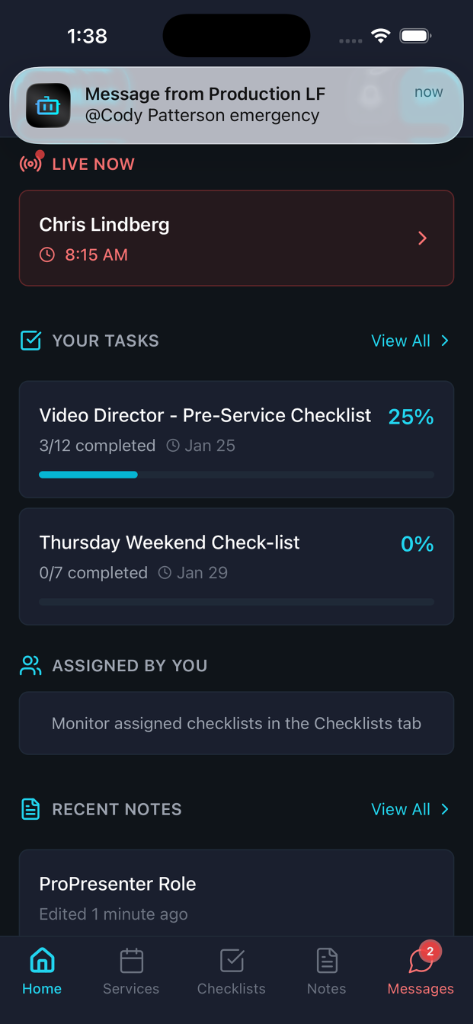
Connects PCO, ProPresenter, and your team in one unified dashboard.
Accessible from web, desktop, and a mobile companion app.
Slide Draw
Telestrator for ProPresenter
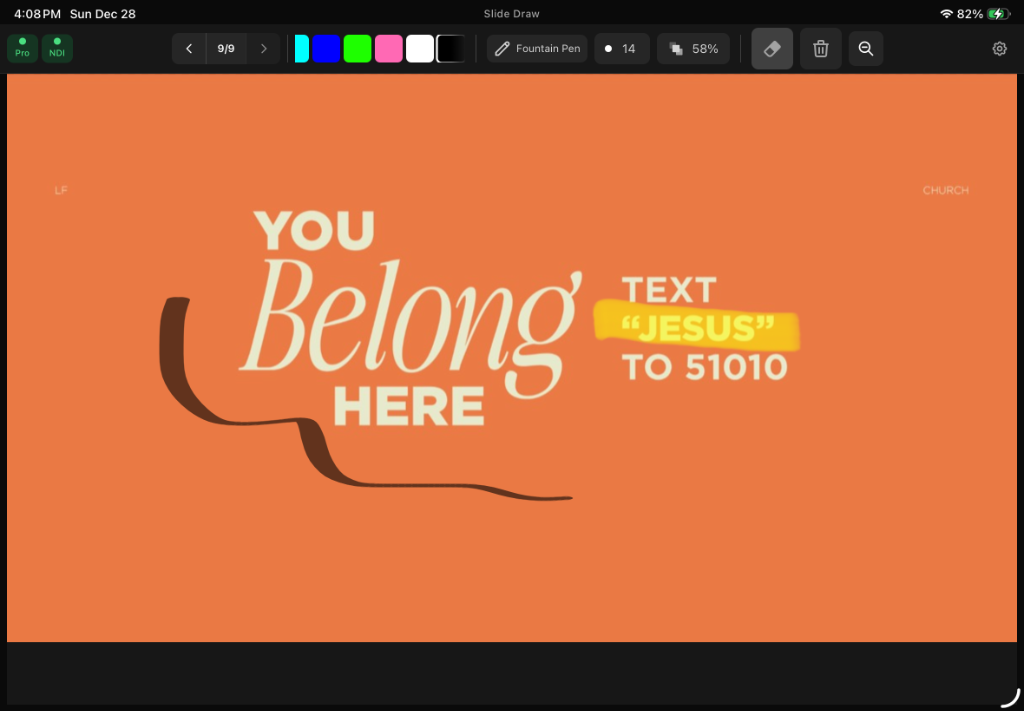
Real-time slide annotation with Apple Pencil. Stream drawings live to ProPresenter via NDI. Features auto-clear on slide changes, a slide timeline for quick navigation, and pinch-to-zoom for precise annotations.
Confidence Monitor Pro
Next-Gen Digital Dashboards
*Final release may vary.
Customizable, clear, and informational screen layouts for Control Rooms, Green Rooms, and Stage Screens. Including real-time stream viewer data, ProPresenter objects, and visual mic assignments.
AudienceLink
Engage your crowd
*Final release may vary.
Real-time lyrics on mobile devices. Perfect for outdoor events, portable worship experiences, and accessibility.
Simple, Transparent Pricing
Choose the plan that fits your church size
Free
For testing and small teams
What's included:
- Slide Draw Basic
- Team Messaging
- Operator View Only (No Show Controls)
- Up to 5 Notes & 3 Checklists / User
- Up to 5 Users
- 1 Campus
- No Producer View
- No Planning Center Service Flow
- No Stream & Service Analytics
Church Plant
For new churches (<3 yrs)
Everything in Free, plus:
- Live Stream Analytics
- Full Show Controls
- Slide Draw Pro
- Unlimited Messaging
- Up to 20 Users
- 5 Checklists / User
- 10 Notes / User
- No Producer View
Basic
Standard production tools
Everything in Free, plus:
- Live Stream Analytics
- Full Show Controls
- Slide Draw Pro
- Unlimited Messaging
- Up to 20 Users
- 5 Checklists / User
- 10 Notes / User
- No Producer View
Unlimited
No limits for serious teams
Everything in Basic, plus:
- Unlimited Users & Campuses
- Producer View & Analytics
- Unlimited Notes & Checklists
- All Integrations Included
- Priority Support
Be in the know
Get the latest feature updates, new releases, and special announcements delivered directly to your inbox.